Platform
From the machine to the AI, on one platform
1 · Machines
PLCs, sensors, meters, cameras
- Siemens S7
- OPC UA
- MQTT
- Modbus
- IO-Link
- Serial / USB
Collectors are apps: add a protocol by installing one. The assistant configures devices from exports and manuals.
2 · Edge
IronFlock agent on an IPC or appliance
Runs on your own Linux, real-time kernels included. Manages containers from a registry mirrored on the appliance, with host device, privileged and GPU access; buffers data when the link drops; updates over the air.
3 · IronFlock core
Data layer, apps, AI
Time-series storage, custom SQL and scheduled transforms; the app store and your private catalog; the multi-agent assistant that reads the data layer and learns every installed app. Multi-tenant, with audit logs.
4 · People & systems
Chat, boards, alarms, remote access, Data Relay
Ask in plain language, build SCADA screens without code, get alerted, service machines remotely, and forward data to MES, ERP or a data lake with buffering towards the receiver.
Layers 2 to 4 are one codebase. Where each runs is a deployment choice, not a product choice.
A look inside
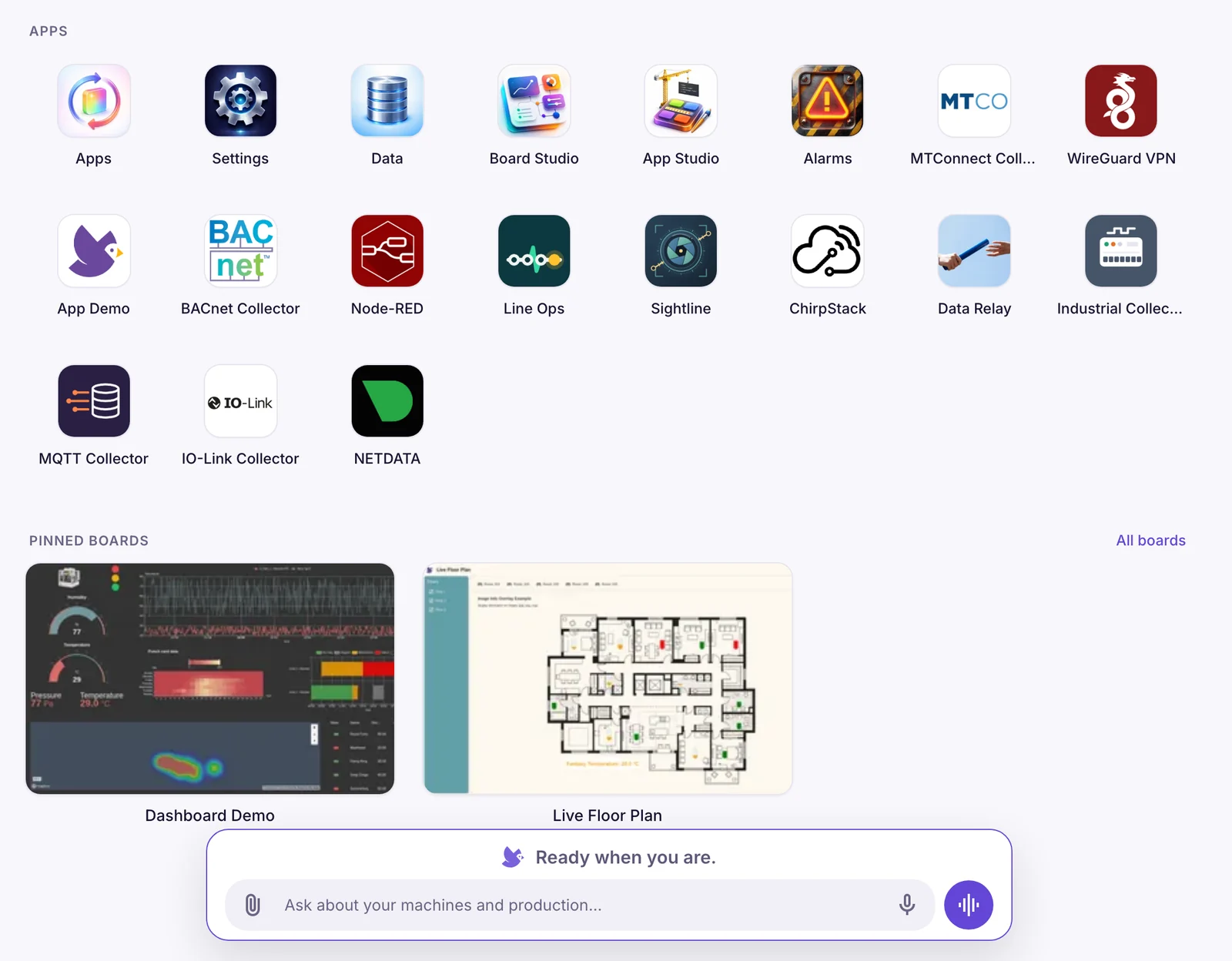
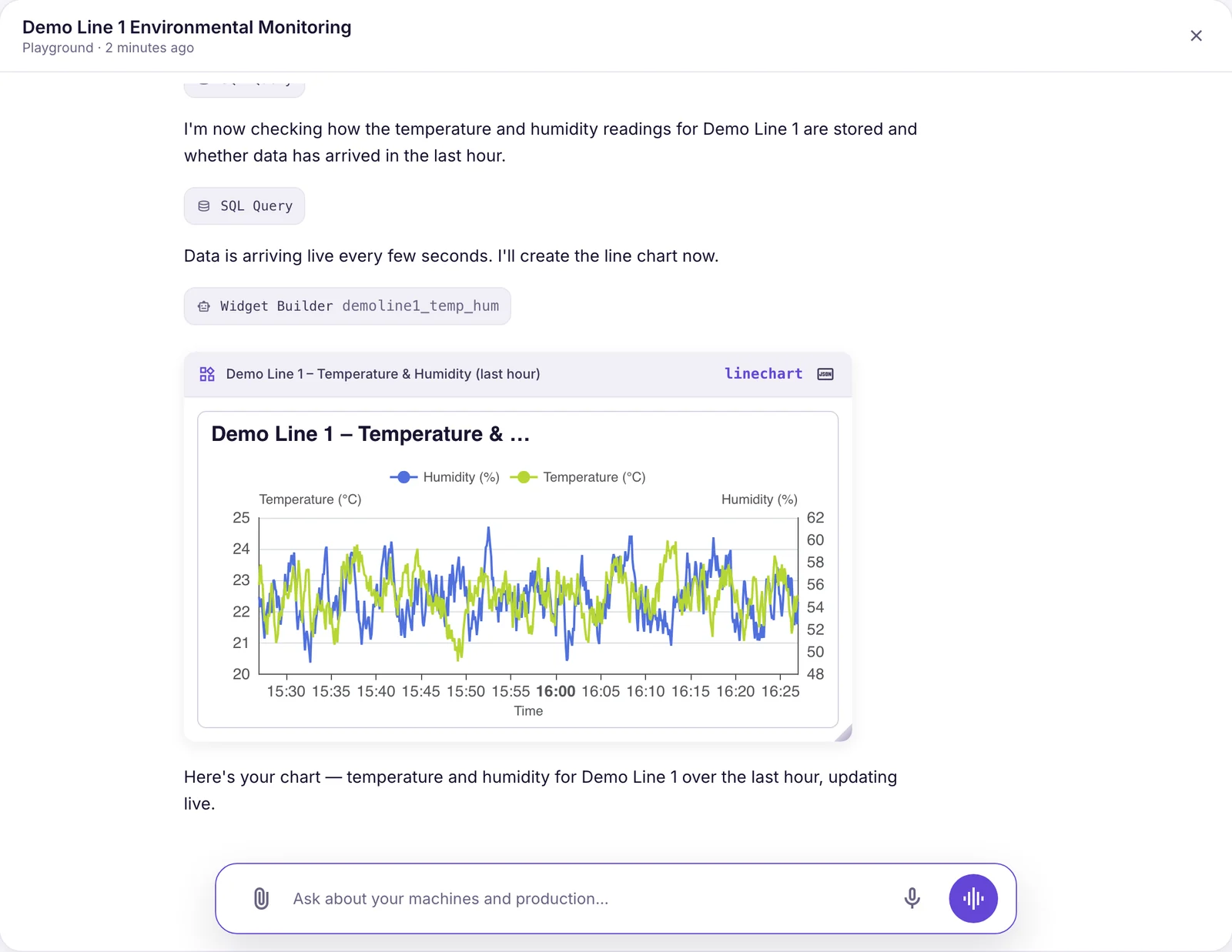
The platform, as your team sees it
Capabilities
Everything in the base system
- Multi-AI-Agent OrchestrationEach app can run specialized AI agents for different tasks. IronFlock orchestrates them through one runtime with shared conversations, permissions, and operational context.
- Multi-tenancyRun multiple customers, sites, or projects with white-labelling, clean data separation, and granular access control.
- OTA UpdatesRoll out updates to edge apps and connected systems online or offline, with synchronized state and controlled releases.
- Secure Remote AccessEnable secure remote service with VPN and tunnels for HMIs, logs, diagnostics, video, and PLC access, with every session fully logged and auditable.
- App DistributionKeep on-premise environments in sync with your online catalog and use built-in usage tracking, billing, and delivery controls when distributing apps.
- UI & Dashboard BuilderCreate HMIs, dashboards, and operational interfaces with a no-code builder and reusable widgets, without exposing architectural complexity to end users.
- Development StudioGo from code to deployed industrial app faster with a cloud IDE that integrates with GitHub, GitLab, Bitbucket, and CI/CD workflows.
- Machine and System ConnectivityConnect machines, PLCs, sensors, and gateways through industrial protocols, or embed IronFlock directly into your own hardware and software stack.
- Security & ComplianceBuild on an architecture designed with EU Data Act, NIS2, CRA, IT-SiG, KRITIS, SOC2, ISO 27001, IEC 62443, and similar requirements in mind.
- Audit LogsTrace user actions and system events with tamper-resistant audit logs for review, governance, and compliance.
- Alarms & MonitoringUse built-in real-time monitoring and alerts to detect issues earlier and keep industrial operations running smoothly.
- Massive ScalingStart with one line and scale across plants, customers, data volumes, and app portfolios without changing the core architecture.
Deployment models
Four ways to run it, chosen per site and changed later
- MinimalFactory OnlineOT → IronFlock cloudNo appliance; devices connect to the cloud directly. Online only. The way most pilots start, free.
- SimpleAppliance in the OTOT (appliance) → cloud, optionalIronFlock in a Box on the line. Everything runs locally; connect to the cloud for remote service and the store, or don't.
- SecureAppliance in IT / DMZOT → IT (appliance) → cloud, optionalFor segmented networks: the appliance sits in IT, the OT only talks to it. Same offline guarantee.
- Private cloudFactory OfflineOT → your private cloud or data centreThe full IronFlock platform in your own cloud account or data centre, for groups with many sites and their own IT policy.
Security
Built for plants that don't allow inbound connections
The appliance connects outbound only. Remote sessions are brokered through the IronFlock cloud or your private cloud and logged end to end. When you choose our cloud, your data is hosted in the EU.
Read the security statement- No open ports, no VPNOutbound-only agent; nothing on the plant network listens for the outside.
- Brokered, logged remote accessSession-based access to HMIs, PLCs and app ports; every session in the audit log.
- Data ownershipYour data stays yours and exportable, in line with the EU Data Act. On-premise models never need to send it anywhere.
- Regulatory alignmentAn architecture designed with NIS2, the CRA, IEC 62443, ISO 27001, SOC 2 and KRITIS requirements in mind.
How it compares
How IronFlock compares
- Ignition vs IronFlockModern distributed edge platform vs traditional gateway-centric SCADA.View comparison
- ThingsBoard vs IronFlockDocker-native edge compute vs server-centric rule engine IoT platform.View comparison
- AVEVA vs IronFlockCloud and on-premises flexibility vs legacy Wonderware server architecture.View comparison
- ThingWorx vs IronFlockOpen app ecosystem and AI-native architecture vs proprietary PTC platform.View comparison
See the platform on your own machines
Start on Factory Online for free, or have an engineer walk you through the architecture for your sites.